The best YouTube downloader – endless music for your home and mobile phone
30th anniversary – We celebrate, you save!
Get this mega bargain quickly.
Known from:
Whether you want to download a single song from YouTube or entire albums by a singer or band, YouTube Song Downloader offers you all the features you could possibly want—with just one click! It’s no coincidence that this YouTube downloader has been one of the most popular on CNET Downloads, Chip, FileHippo and other sites for over 10 years and is available for both Windows and Mac platforms.
That's why you'll love YouTube Downloader!
Download Videos & Music for free
100% legal
Download entire albums
Or complete playlists
Now also YouTube Shots
YouTube Downloader – It's that easy!
1) Search for a song, playlist, or album
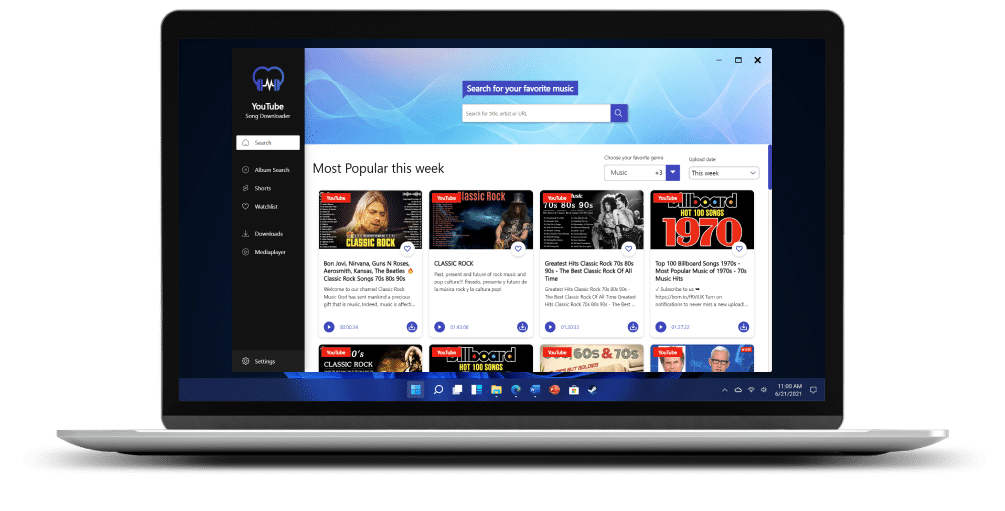
Start the YouTube Downloader and type the desired title into the search bar. Alternatively, you can paste the link to a playlist there. You’ll then receive all matching results—basically very similar to YouTube itself. The only difference is that with the YouTube Downloader, you can also search for playlists, entire albums, or YouTube Shorts.
2) Choose your quality and format
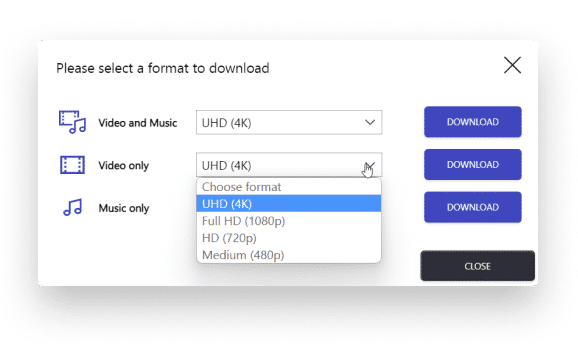
You always have the choice of downloading a title as a video, as audio only, or as a video with audio. Depending on the quality of the original material on YouTube, the downloader offers various quality levels. Better quality also means a bit more storage space—and vice versa.
The following formats are supported:
- Video: 480p, HD (720p), Full HD (1080p), 4K / UHD
- File formats: mp4 and webM
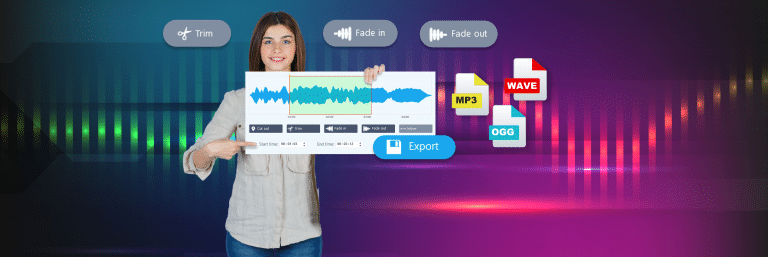
- Audio: mp3, m4a, ogg, opus, FLAC
3) Manage your downloads and watchlists
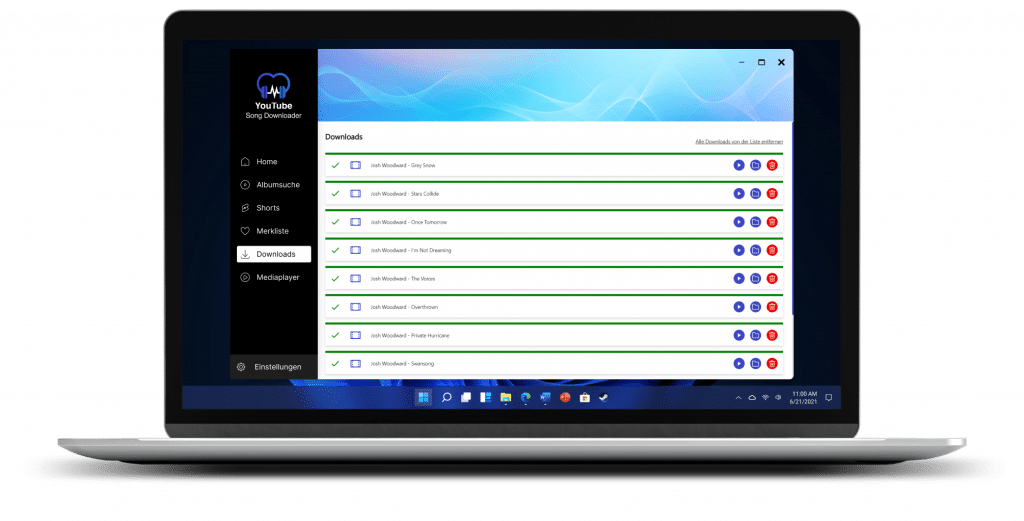
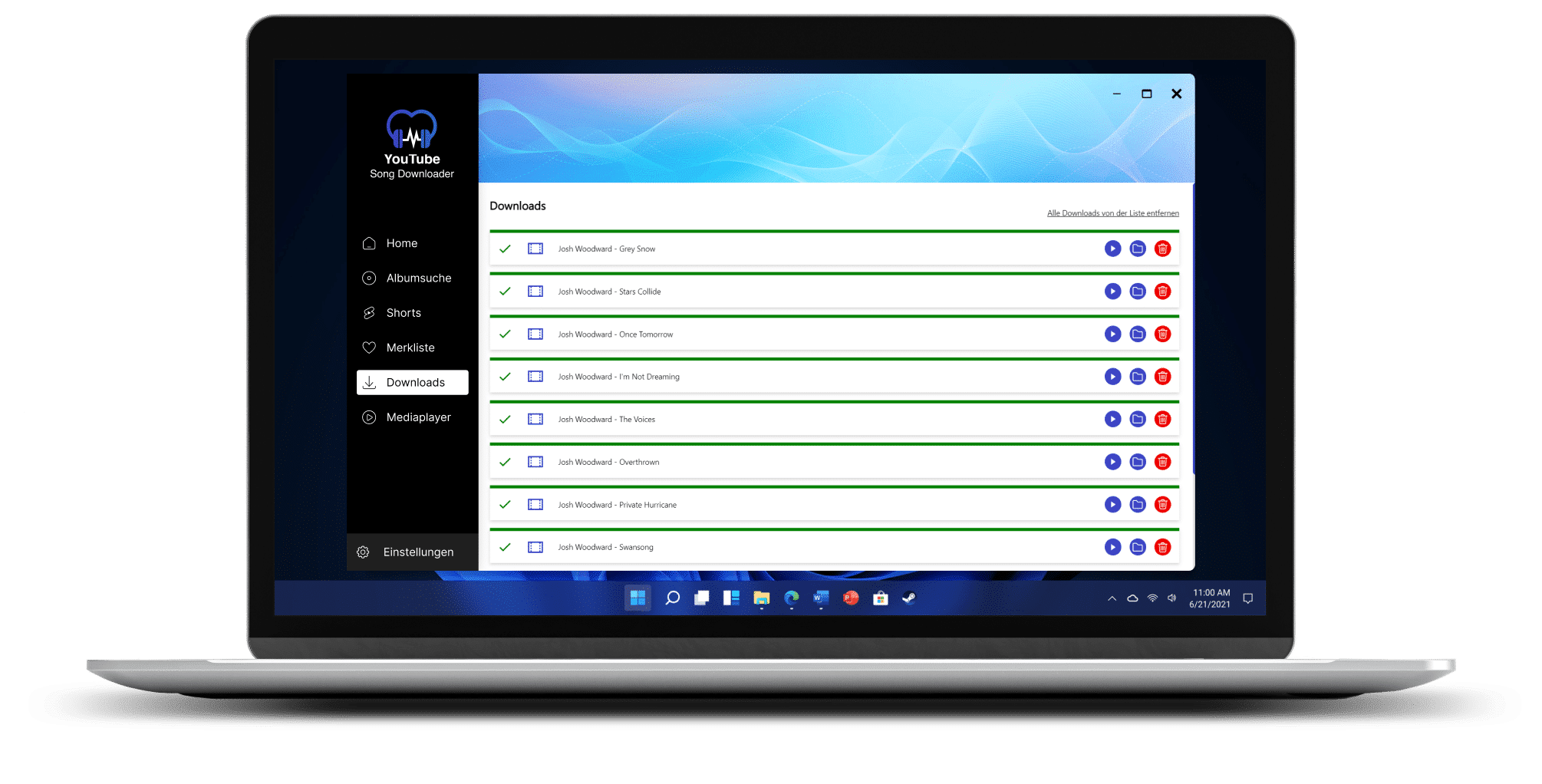
As soon as you start downloading a song, the progress will be shown in the download manager. Especially when downloading an entire album, this process can take a few minutes because the selected songs are converted into your desired format at the end—for example, as an MP3 or video file. In the download manager, you can see the selected format and also jump directly to the download folder.
Download Videos & Music for free
100% legal
Download entire albums
Or complete playlists
Now also YouTube Shots
Guide: Download Entire Albums from YouTube
Before you get started, grab the mega deal and install the YouTube Song Downloader. Only with the Pro version can you download albums and playlists.
1. Let’s go – start the album downloader!
After launching, the user interface of the YouTube Song Downloader opens.
This is basically your control center, where you can search just as easily as on YouTube itself. But first, we want to check our settings for downloading entire albums.
2. Settings for Album Sound Quality
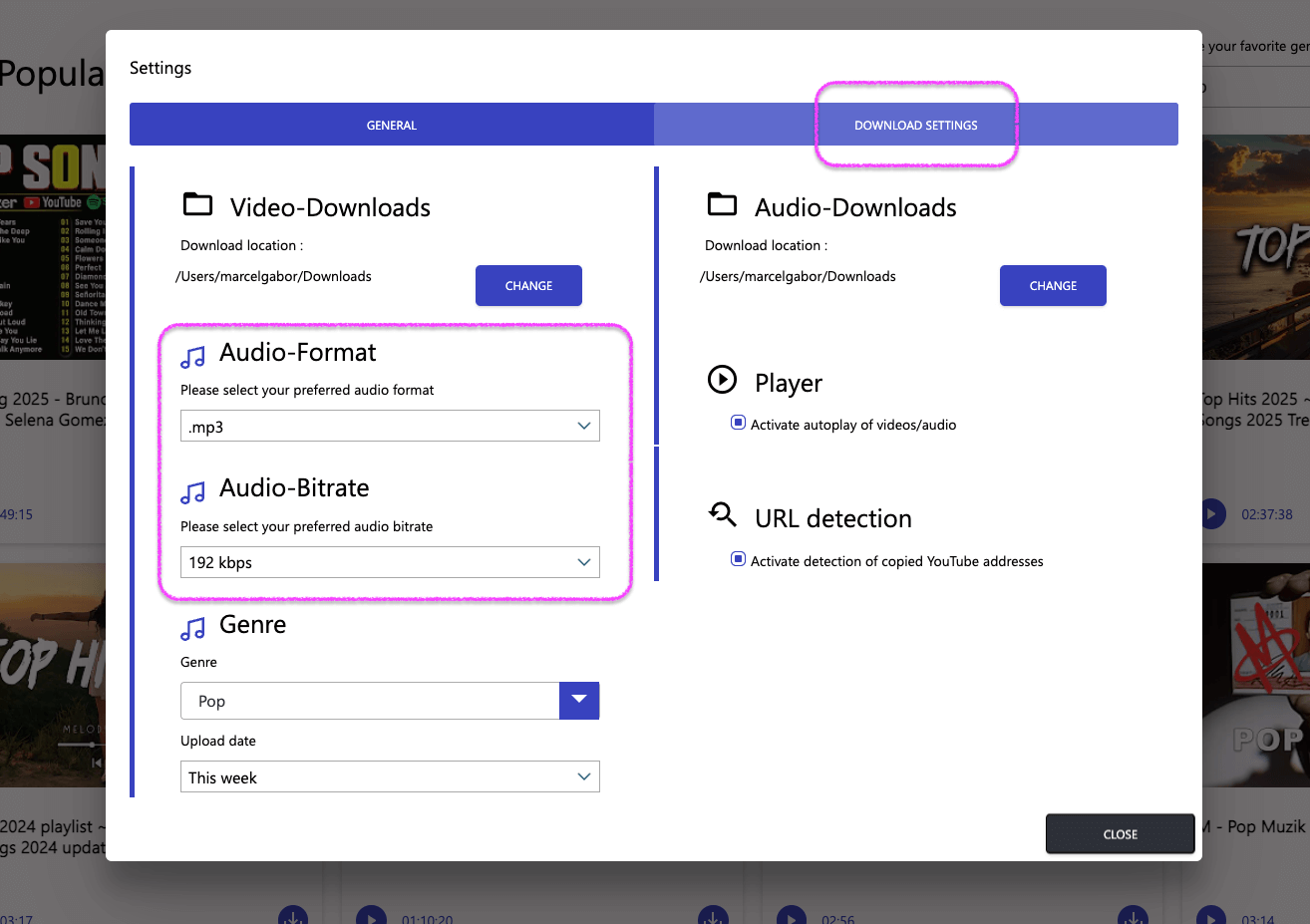
Take a look at the settings to customize storage options and other preferences to your needs. To do this, click the gear icon in the bottom left corner after opening the program, then click “Download Settings” in the top right of the settings dialog.
The audio settings allow you to choose your preferred format, such as MP3 or M4A. You can also adjust the bitrate. The rule here is: the higher the bitrate, the better the audio quality—though this also means larger file sizes for the downloaded albums.
3. Search for Entire Albums on YouTube and Download for Free
The YouTube Song Downloader offers you two different search functions: one for individual songs and one for complete albums.
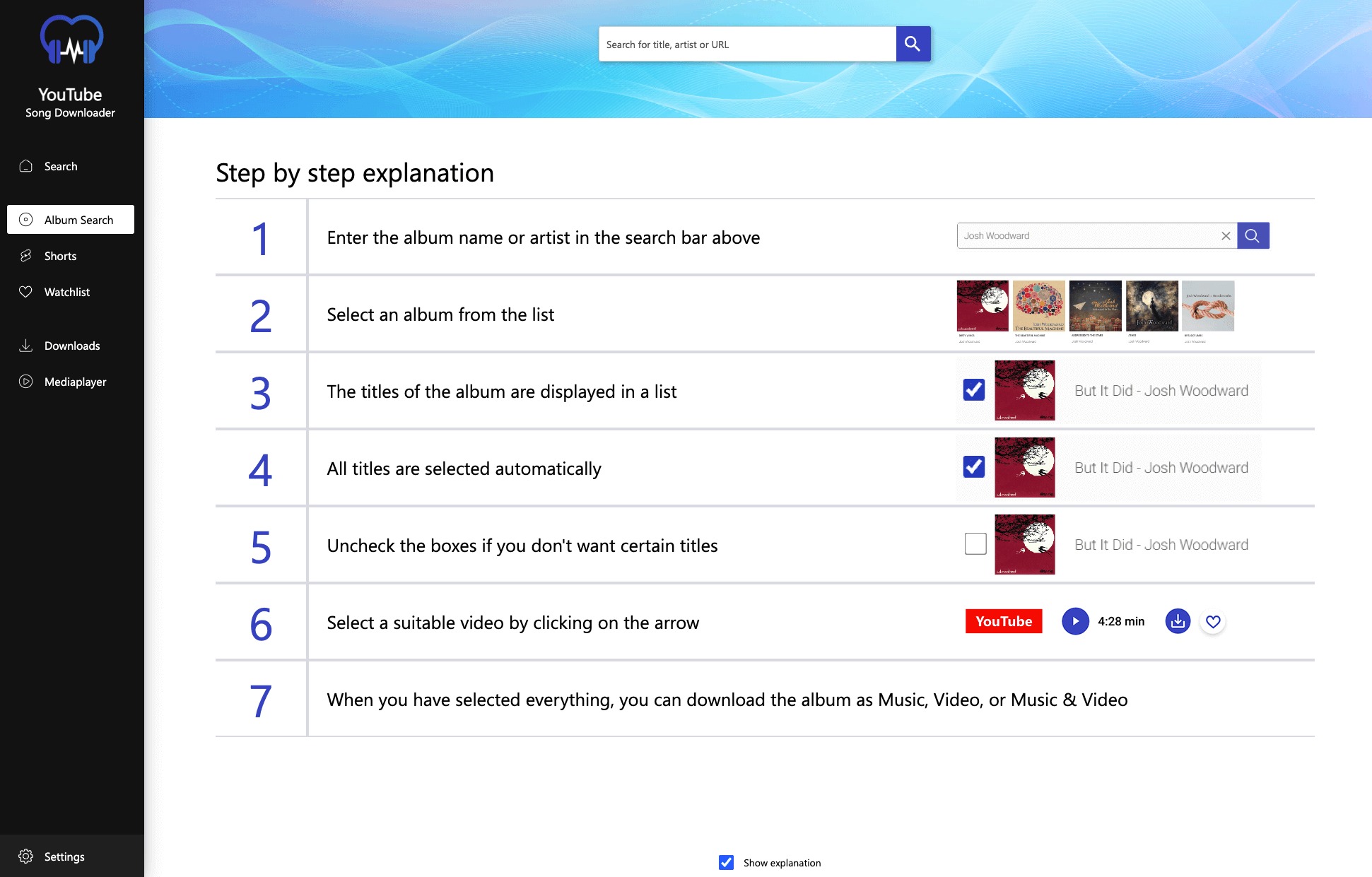
When you start the album search, you’ll receive a simple explanation of what to do next.
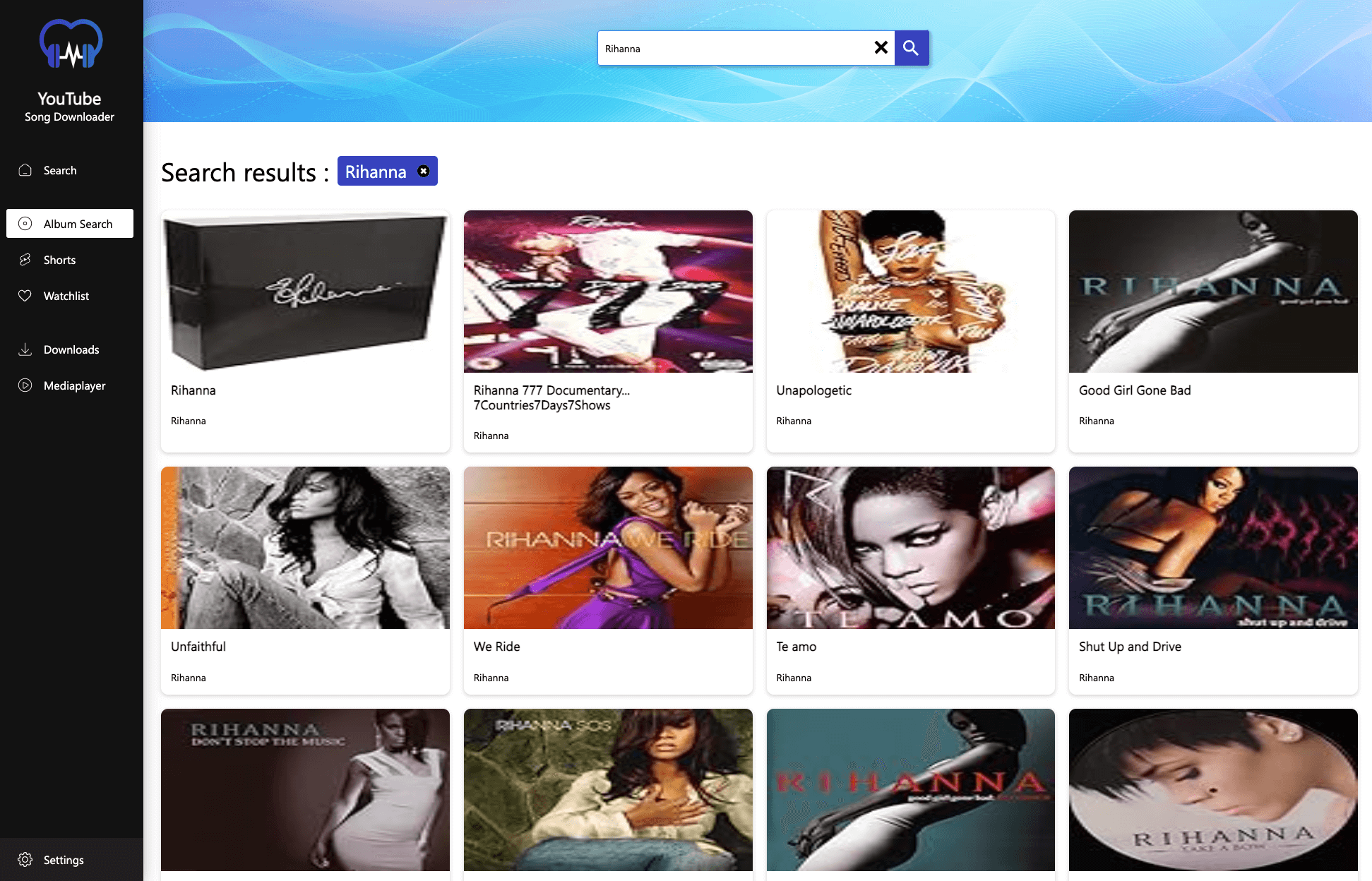
Let’s now search for an album by Rihanna. To do this, enter the artist’s name, a song title, or the album name into the search bar at the top. For simplicity, we’ll just enter “Rihanna” here.
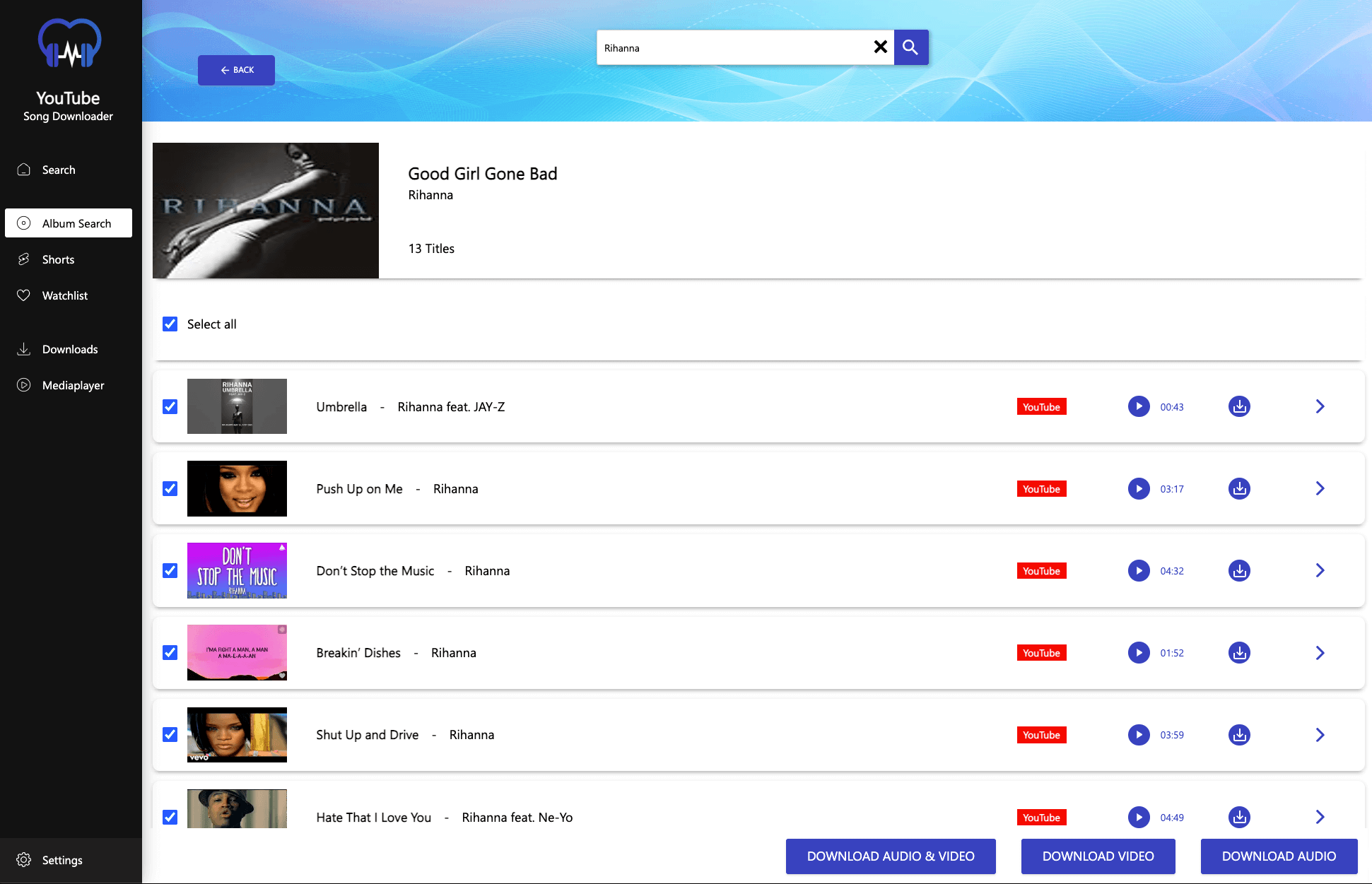
When you click on an album, a window opens showing all the tracks it contains. Make your selection and decide whether you want to download the songs as audio, video, or both formats separately.
4. Manage Your Downloaded Albums in the Download Manager
Under the “Downloads” menu, you can track the progress. Once the download is complete, the media files can be played directly or later using the integrated media player. Of course, you can also easily copy the entire album or individual songs—for example, to a USB stick or your phone.
With the YouTube Song Downloader, you can download entire albums for free.
And here’s an overview: What the YouTube Song Downloader can do for you:
- Clear and intuitive user interface
- Fast and effective search function
- Simple, hassle-free downloading
- Choose from audio formats like mp3, m4a, ogg, flac, or opus
- Set bitrate and resolution individually
- Download entire music albums
- Download playlists
- Download videos
- Download videos from YouTube and VEVO
- No need for expensive streaming subscriptions like YouTube Premium, Spotify, Deezer, etc.
- NEW: Now also download YouTube Shorts
The YouTube Song Downloader stands out with its easy-to-use menu and straightforward search function. You can download individual songs or full albums with ease and save the media files wherever you like. Download the YouTube Song Downloader from Abelssoft now—quick and easy!
The Right Way to Use YouTube Downloaders – What You Should Know
Whether it’s watching the latest movie trailer, checking out the newest song by Taylor Swift, searching for a DIY video, or catching up on your favorite YouTuber’s latest upload—YouTube has firmly established itself as a universal source of entertainment with millions of videos and content at your fingertips.
But when it comes to saving content permanently or transferring it to another device, the popular video platform can be a bit restrictive. For example, if you want to download your favorite band’s new album as MP3, that’s normally not possible directly through YouTube. That’s exactly what YouTube downloaders are made for. The YouTube Song Downloader from Abelssoft, in particular, is highly popular with both the press and users around the world. Here’s what you need to know when using such a downloader.
The Legal Aspects: Is It Legal to Use a YouTube Downloader?
The use of YouTube downloaders should always comply with applicable copyright laws. But to answer the question directly: Yes, downloading videos and music is legal under strict German law. The legal basis is §53 of the German Copyright Act (UrhG), which allows private copies for personal use. The YouTube Song Downloader presented here also respects the guidelines of media providers, ensuring that no copy protection measures are broken or bypassed.
Choosing the Right Tool: What Makes a Good YouTube Downloader?
An effective YouTube downloader stands out through user-friendliness, security, and a wide range of format options. Security is especially important, as many downloaders may be linked to malware. A trustworthy tool should offer a clear, intuitive interface and be free of harmful software.
Key features of a good YouTube converter include the ability to easily download videos or audio tracks in various formats. High-quality YouTube downloaders also allow you to download playlists or albums and manage them clearly within a download manager.
And it’s even better if a YouTube downloader doesn’t just support YouTube, but also works with other platforms like Vimeo—allowing you to download your desired video and audio files from there as well.
How Does a YouTube Downloader Work?
YouTube downloaders convert video URLs into downloadable files by extracting the video and audio streams. On YouTube, for example, videos are available in various quality levels to provide the best balance between quality and smooth playback depending on the user’s internet speed. A YouTube downloader takes advantage of this by offering these different formats as download options, allowing you to save the content in a way that suits your needs. Additionally, a good YouTube downloader also functions as a converter, letting you convert any downloaded video into a specific format—such as an MP3 file.
Quality vs. Storage Space: How to Choose the Right Video Resolution
The choice of the right resolution depends on individual needs and available storage space. Higher resolutions offer better quality with more detail and sharpness, but they also require more storage. A good YouTube downloader allows users to find a balance between image quality and file size.
Avoiding Risks When Downloading Videos
To ensure safe use of YouTube downloaders, users should rely only on trusted sources and be cautious about installing additional software. Choosing a reputable downloader minimizes the risk of malware and helps protect user privacy. The danger is significantly higher with downloaders from unknown websites, as you have no control over what may be running in the background.
The Abelssoft YouTube Downloader, on the other hand, has been on the market for over 10 years and enjoys an excellent reputation among both the press and users.
FAQ
Here you’ll find the most frequently asked questions about YouTube downloaders.
In the United States, downloading videos and music is generally legal as long as it is for personal use and does not involve circumventing copy protection or distributing copyrighted content. U.S. copyright law allows for what’s known as “fair use” in limited cases, such as private backups or time-shifting. All of our products are designed to respect the terms set by content providers and do not bypass any digital rights management (DRM) protections.
Yes, it is. The downloader can convert content from YouTube into various video and audio formats, including the most popular ones like YouTube to MP3 and YouTube to MP4.
The YouTube Song Downloader is a program that allows users to download videos or music from YouTube with a single click—completely free. Users can choose from various quality levels and formats, ranging from HD to 4K / UHD.
Did you find the article helpful? If so, leave us a good review.
Your page rank: